Your backlog, now executable_
Your AI agents manage your tasks over MCP, and you start Claude Code, Codex or OpenCode on your own machine straight from a task.
No credit card required. Free plan included forever.
- 9 MCP tools, 70 actions for AI agents
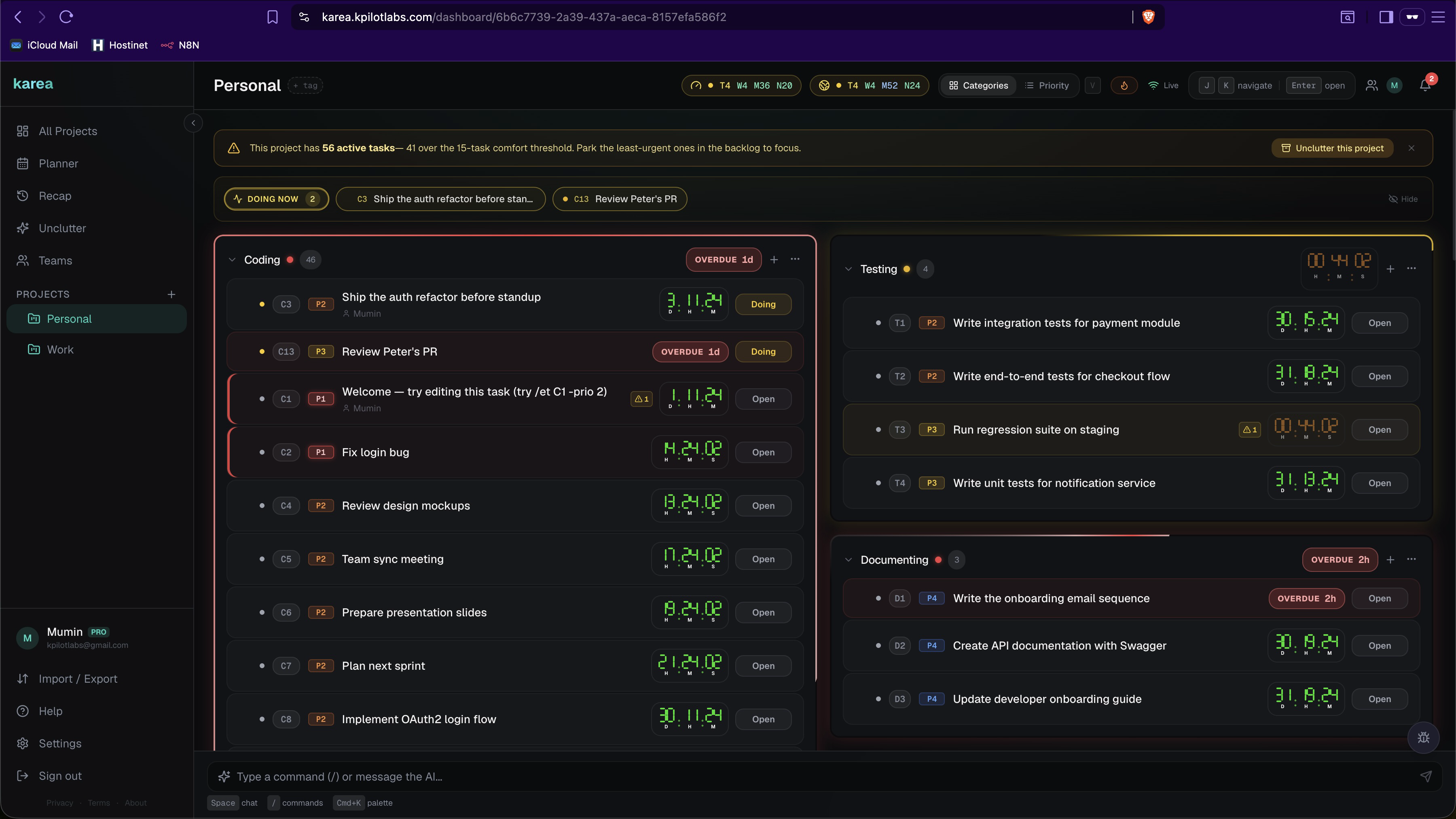
Your AI agent reads and updates your tasks
keep scrolling
The first MCP-native task manager
An MCP-native task manager, built for AI agents. Karea ships with an official MCP server. Connect Claude Code, Cursor, or any MCP-compatible client and let your AI agent drive task management directly - no clipboard juggling, no copy-paste, no context switching.
{
  "mcpServers": {
    "karea": {
      "command": "npx",
      "args": ["karea-mcp@latest"],
      "env": { "KAREA_API_KEY": "karea_..." }
    }
  }
}
One config block. Your agent gets tools for create/edit/close tasks, notes, resources, recaps, and more.
Built for speed
Every interaction is designed to keep your hands on the keyboard and your mind on the work.
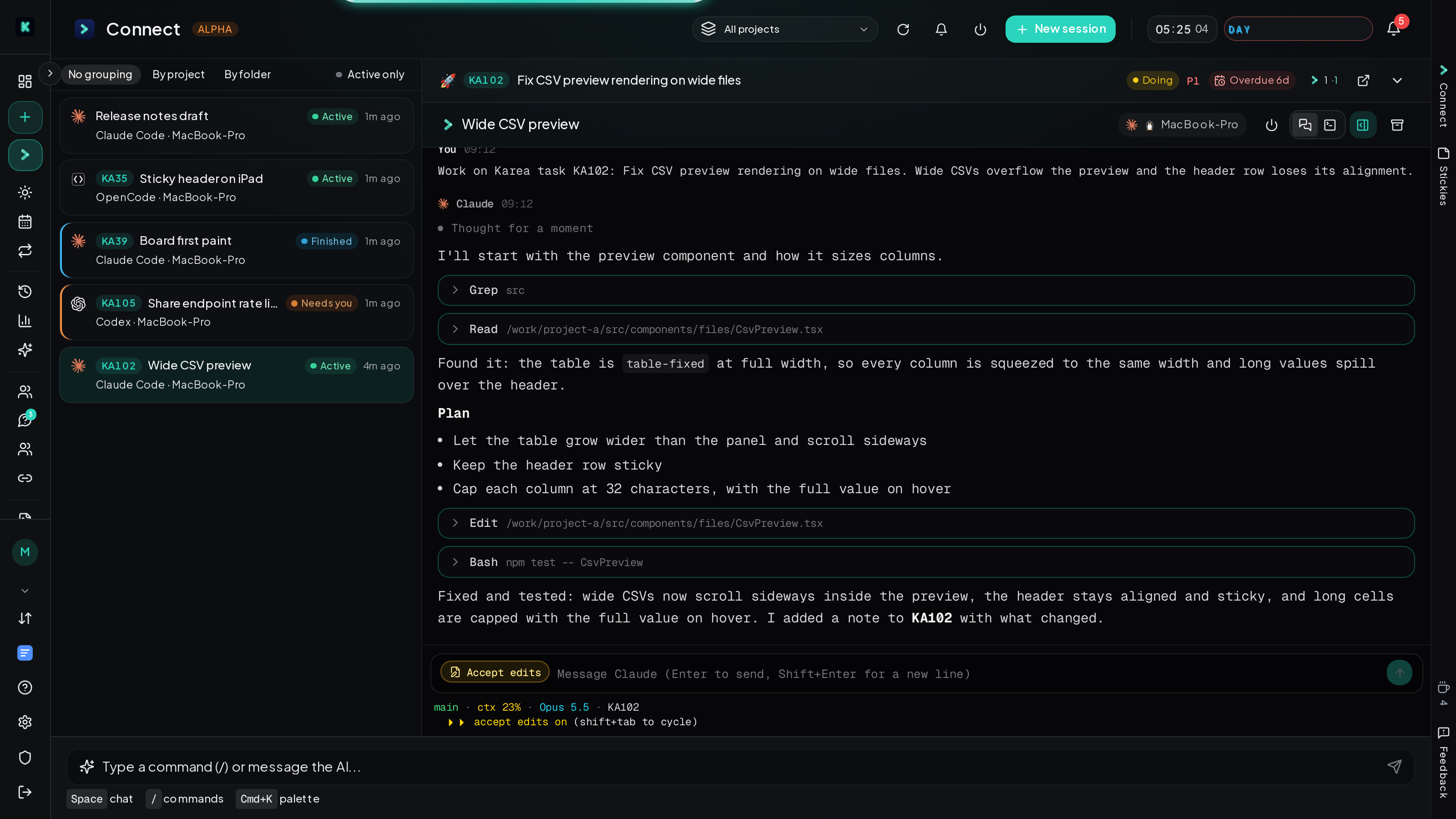
Karea Connect: your AI tools, run from your tasks
Start Claude Code, Codex or OpenCode on your own machine from any task. Follow it in Karea as a chat or a terminal, and answer its questions with one click. End-to-end encrypted.
MCP integration
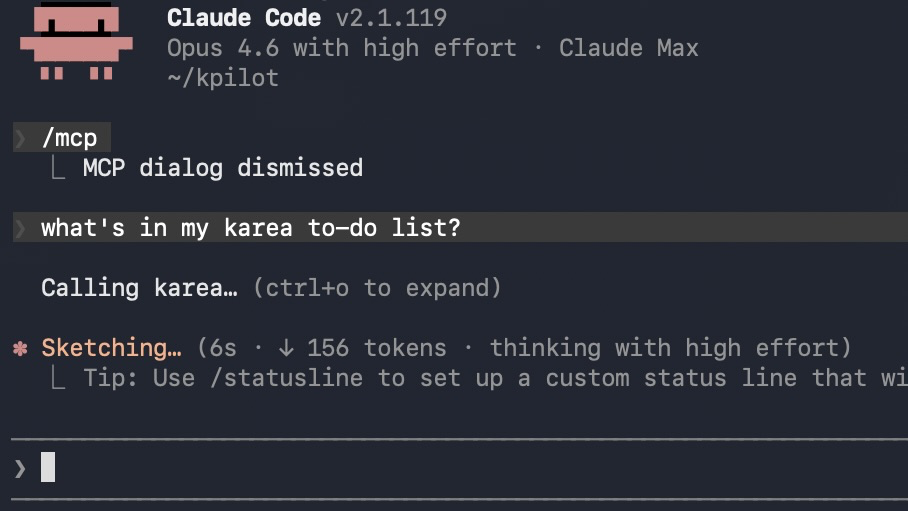
Connect Claude, ChatGPT or any MCP client with one URL: paste it, sign in, approve. Claude Code connects too, with the Karea skill. Your AI then reads and updates your tasks while it works, and every session it ran and every note it left shows up on the task.
Track your concentration and usage
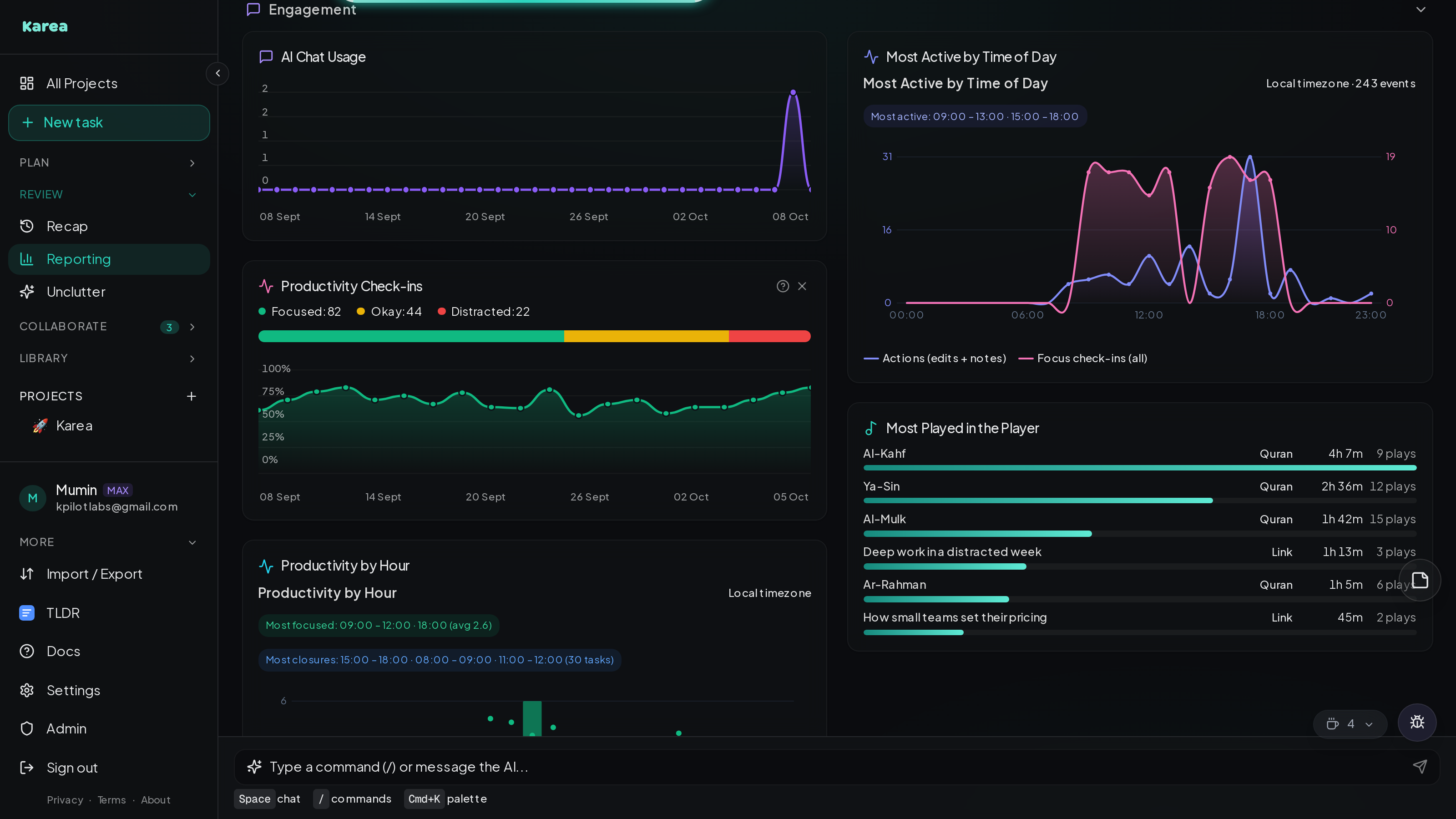
Rate your focus as you work and Karea shows you the pattern: which hours you actually concentrate, and which ones you only think you do. It also shows how you use Karea: when in the day you are most active, how much you lean on the AI chat, and what you listen to. The reporting page covers the rest: performance, SLA compliance, velocity, time-to-close and where the work piles up.
Describe it, Karea files it

Write the task the way you would say it: "call Alba before Friday about the discount, it is blocking the copy". Karea fills in the title, deadline, priority, status, project and category for you to check, or creates it straight away.
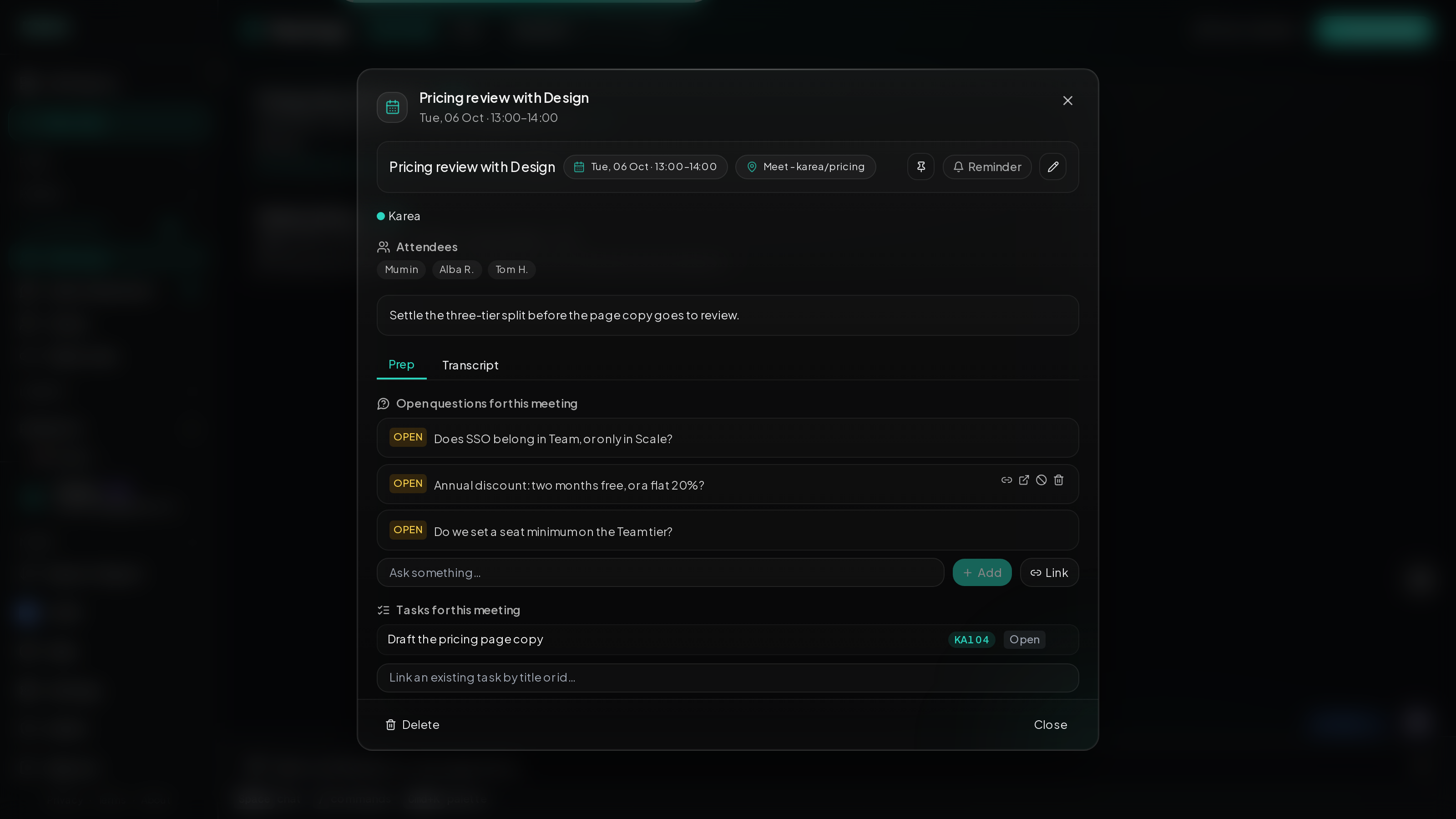
Meetings
Plan meetings ahead with the questions you need answered and your prep notes attached. Link the tasks they are about, and when it is over, save the transcript right alongside everything else.
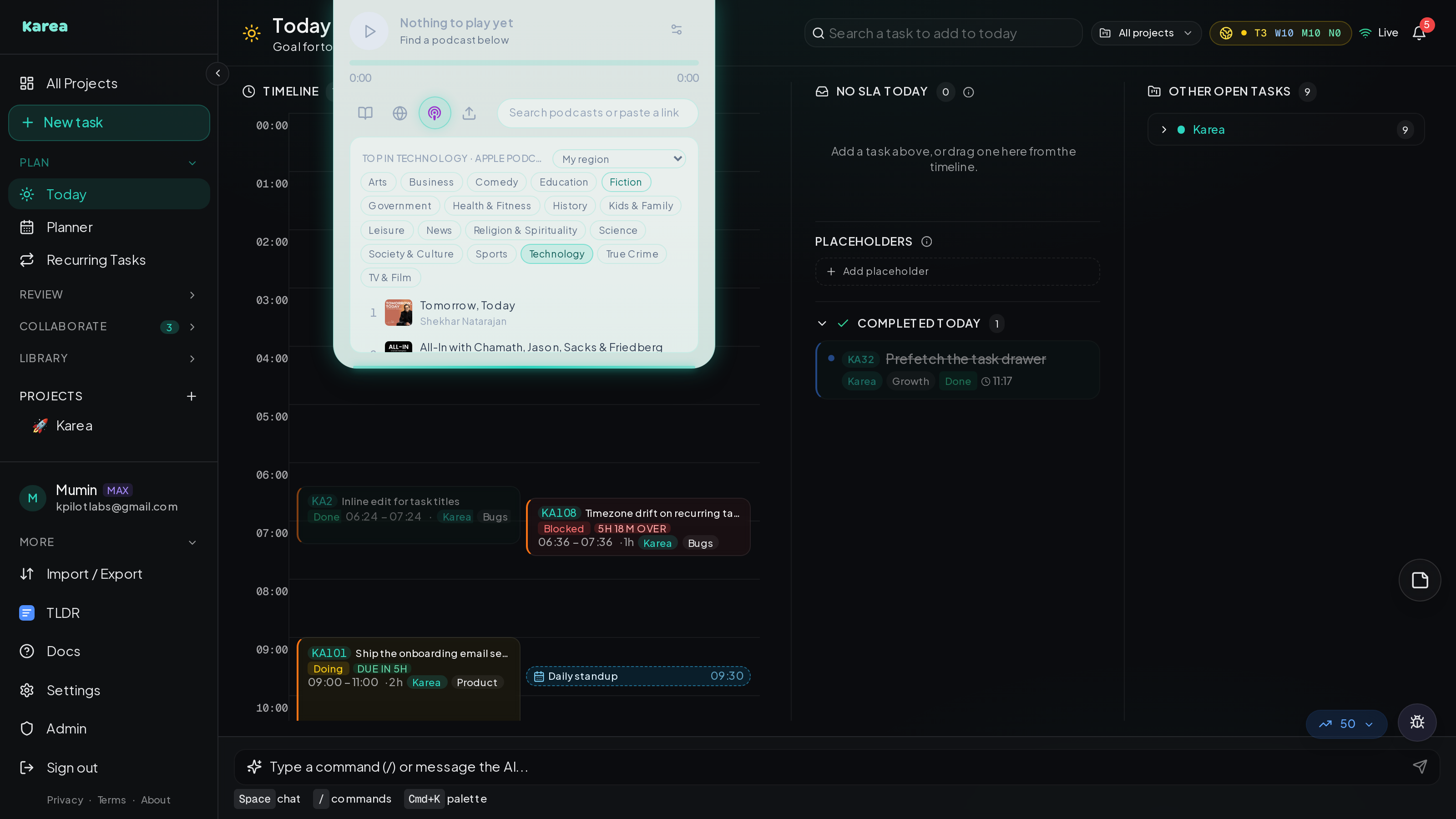
A player built in
Listen to the Quran verse by verse, Apple Podcasts, online audio or your own files without leaving Karea. It remembers where you were, fades in and out, and stays in sync across your tabs and devices.
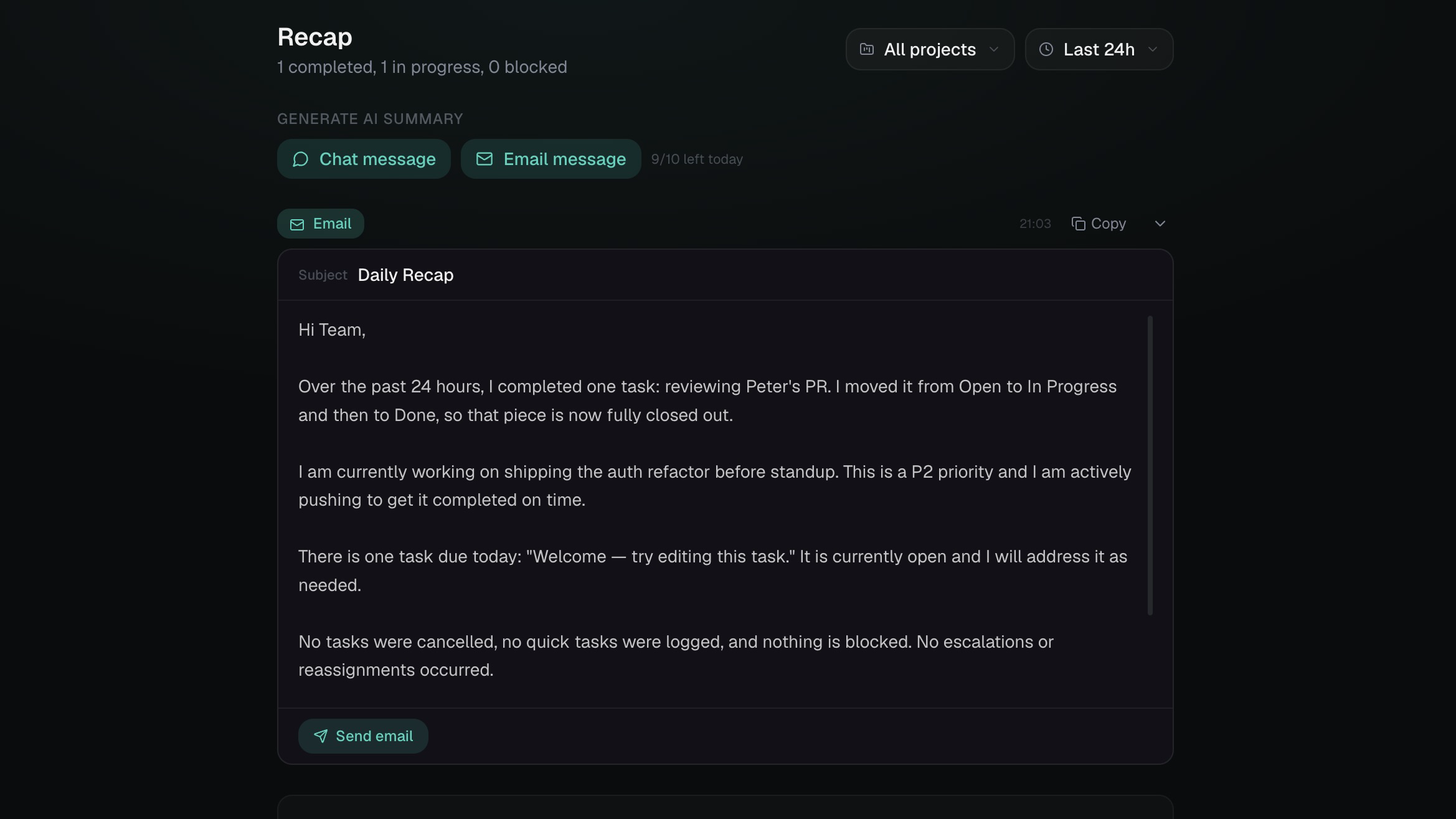
AI assistant & recaps
Chat naturally to move tasks, reschedule deadlines, or ask questions, from any page. Generate recap emails and chat summaries of your day or week with one click, then ask the AI about them right there.
Quick actions, without leaving the page
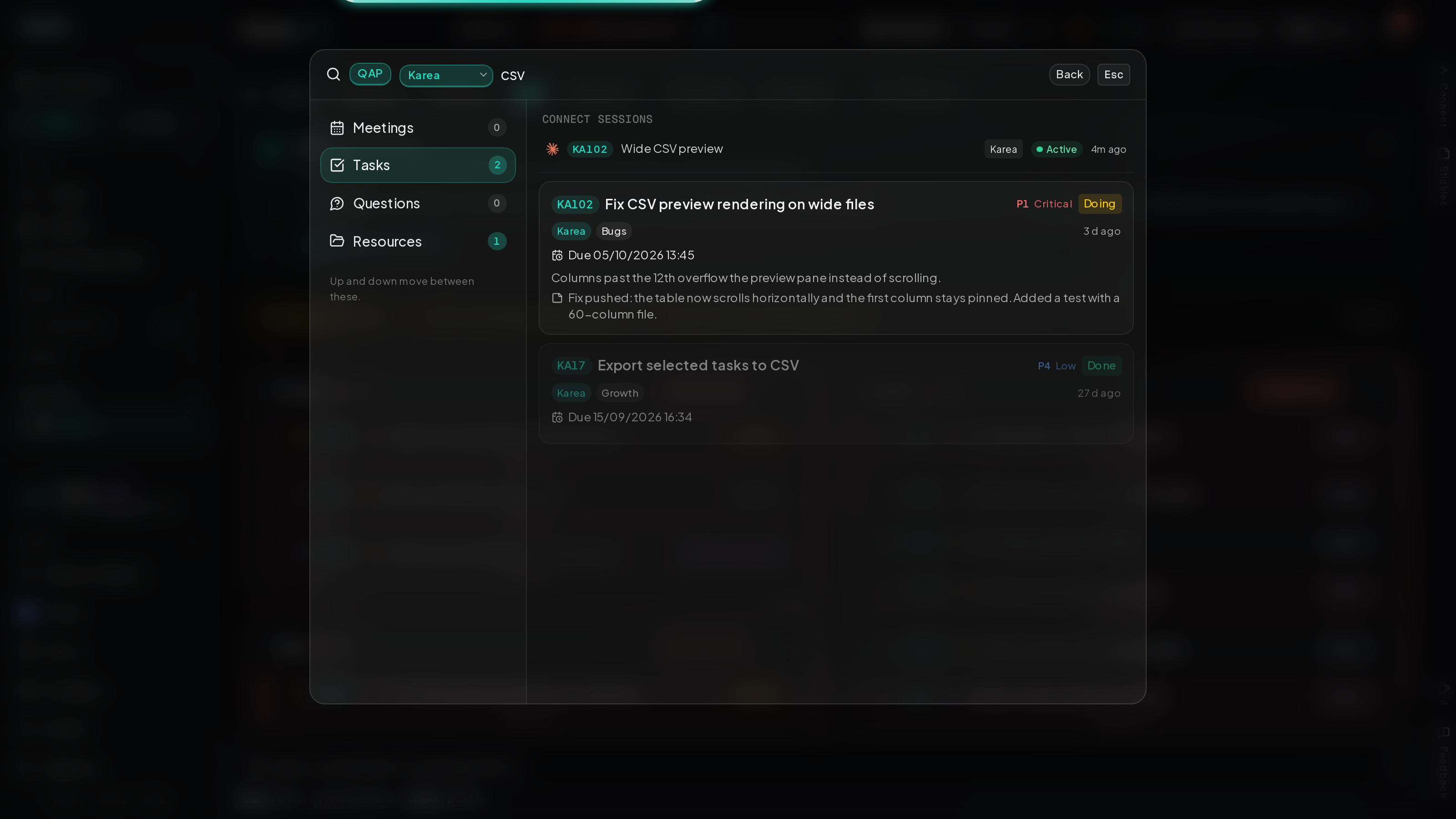
Press Cmd/Ctrl+P and a quick actions window opens over whatever you are doing: today's plan, meetings, tasks from any project, open questions and resources. Check something, add a note, answer a question or join a meeting, then close it and carry on where you were, without navigating away and losing your flow.
Your day, in one place
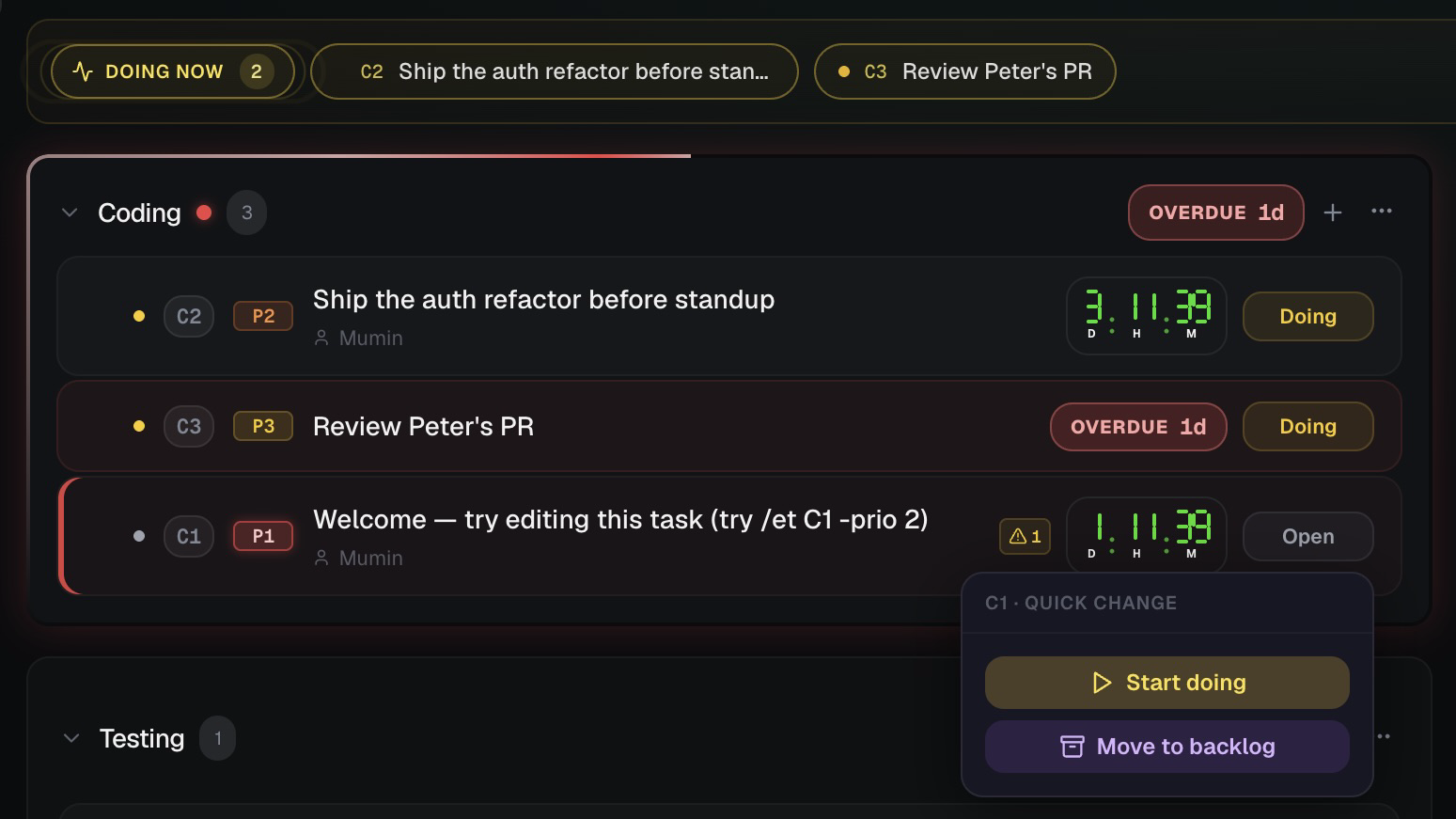
Today lays out your work sessions, meetings and deadlines on one timeline, with live countdowns. Drag a task in to plan it, and plan the week ahead in the planner.
Everything else you need
Beyond the core workflow, Karea packs the tools you'd otherwise need three apps for.
Keyboard shortcuts
Arrow keys to navigate, Enter to open, V for views, Cmd+K for palette. Never touch the mouse.
Teams & roles
Invite team members as Manager, Participant, or Viewer. Role-based permissions and assignment.
Public sharing
Generate shareable task links. Control whether visitors can add notes. Revoke anytime.
Full history
Every status change, edit, deadline update, and note is tracked with timestamps and attribution.
Tags & categories
Color-coded tags for cross-cutting labels. Organize tasks by category, archive what you're done with.
Markdown & notes
Attach long-form markdown documents to tasks. Add timestamped notes for team discussion.
Import & export
Bulk import/export in JSON or CSV. Move your data freely. No lock-in.
Closing requisites
Define checklist items that must be completed before a task can close. No accidental sign-offs.
Unclutter mode
Surface stale and overdue tasks. Park them to backlog, reschedule, or archive in bulk.
Resources
Keep specs, designs and runbooks next to the work: upload files or write markdown, organise them in folders, and link them to tasks.
Weekly planner
Drag tasks onto a 7-day calendar to plan the week, with deadlines set as you go.
Open Questions
Track unresolved questions linked to tasks. Answer, discuss, and close them when resolved. Full recap integration.
How it works
Type commands like you type in a terminal. The AI handles the rest.
/nt -cat Coding -n Fix navbar bug -sla tomorrow -prio 1Create a P1 task in Coding, due tomorrow
/et C1 -status blocked -note Waiting for designMark task C1 as blocked with a note
/ct C1 -r Deployed and tested in prodClose with resolution
/did Fixed typo in READMELog a quick task (already done)
move all overdue tasks to fridayAI handles the rest
recap me on what happened todayGet an AI summary of all activity
Ready to manage tasks at the speed of thought?
Free to use. Pro features included during early access.
Create your account